Jack Kutilek / Writing / Reflecting On Sokoban Notebook
I have just released my second Sokoban player: Sokoban Notebook
(jackkutilek.itch.io/sokoban-notebook and sokoban-notebook.com)
Here, I want to reflect on what drove me to make it, the process of making it, and how it turned out.
Why do I keep making Sokoban players?
- The dream of a deductive play-style, like in paper logic puzzles. Being able to input any part of the solution as soon as you deduce it. Being able to make notes and make visuals to aid in your reasoning. I want these in block-pushing puzzles!
- Making tools for yourself to help you do things you want to do. Game Design as Architecture (a la The Timeless Way of Building). Designing for spaces to Live in. Playing is Living.
- I like Sokoban! I like the simplicity of it, the spatial logic it thrives in. That it's not about teaching mechanics via puzzles, that it's not a big box of mechanics to play with. It's long history, and the many puzzle-makers who have dedicated love and attention to the game over the past few decades.
Lessons from Jack's Sokoban
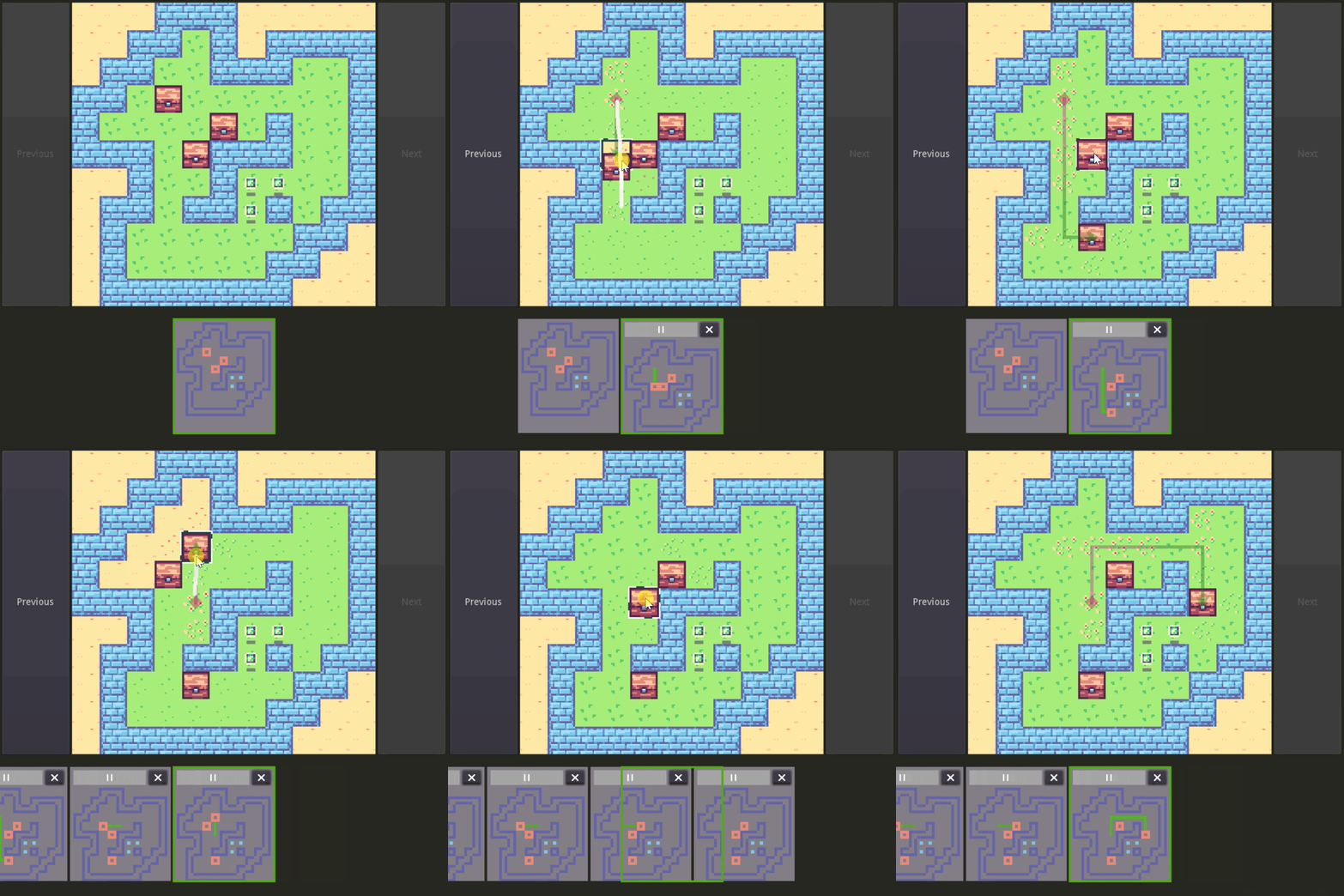
- My first Sokoban player. It works! I can actually play Sasquatch puzzles now.
- I was too ambitious with the design - need to simplify my goals so I can actually complete something and not end up with a half-finished design, something waiting for unimplemented features to be implemented. (looking at you, timeline editing - and just generally the goal to input the solution out of order)
- The code started to buckle under its own weight. Making changes was getting hard.
Data & Logic<>Presentationseparation is important! - It's a complex tool, I need to explain how to use it. Include some help documents.
- Should design for mobile from the start!
- Don't lock in the level sets!
Other References
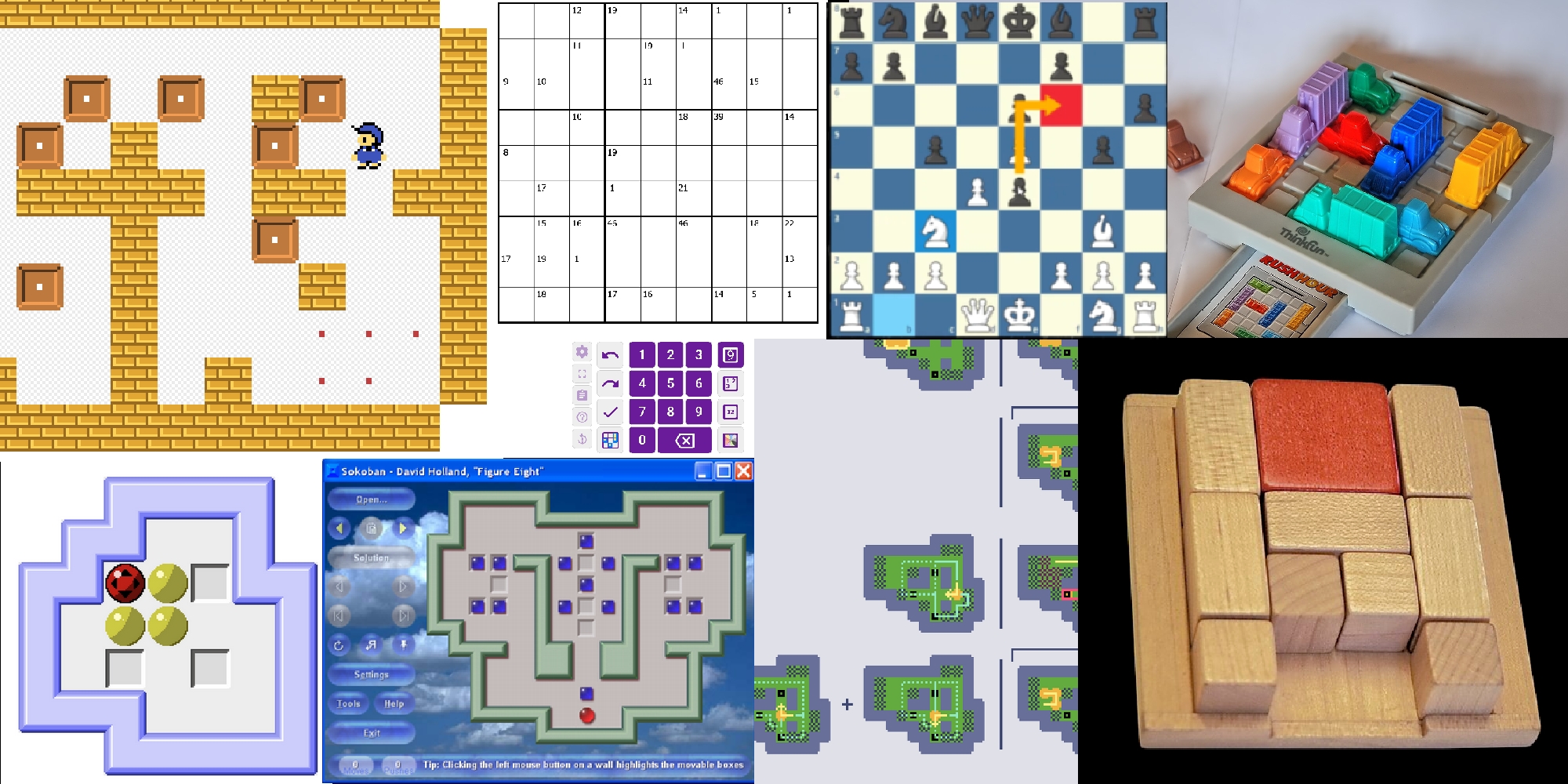
- puzzlescript & sokoban online. The standard keyboard-based inputs to control a little guy. I do love the simplicity of it, but it's hard to switch to a mouse when you want to make a note (well, you can't even make notes to begin with!). And it's a bit awkward on mobile, or at least not as snappy as a responsive keyboard handling is.
- YASC and other clients. Similar idea of building more elaborate tools for yourself, I like that. But old, and not online, and often not available anymore! And I don't like some of the automations they have: automatic dead-cell detection. automatic calculation of tiles you can move a box to (via sometime complex player movements!) I don't want to enable a guess-and-check play-style (click a box and see where it can go, etc.) You must place your own fences! You must drag the box where you want it to go!
- Logic puzzle players like SudokuPad, Penpa, and PuzzleSquare. I like all the pencil-marking tools: numbers in corners, highlighting cells, drawing lines, x's on edges, etc. Good for communicating your logic to others (like on Cracking the Cryptic) - and just as good for communicating your logic to yourself while you think (or future you after you've forgotten)!
- Rush Hour & Klotski. I like the tactility of these, the directness. I like the idea of treating sokoban like a physical board game, with a computerized board that tracks where you move the blocks and responds in a deterministic way. But it is just there for your information, it doesn't prevent you from picking the pieces up and moving them around freely!
- Screen drawing tools. Like Epic Pen. Nice, but awkward to use, and not aligned to the grid.
- My explorations with Visual Sokoban Proofs. I also experimented with making a tool to help with drafting these, a canvas for mapping out a puzzle's state space, in a way. Making notes about why certain things must happen, organizing groups of moves by subgoal, etc. Another casualty of burnout, and a programming house of cards that fell down, but I still hold on to this dream of being able to see a solution to a sokoban puzzle all at once!
Design Principles
- Direct interaction - move the blocks! Let the game simulate whatever else it needs to to define the game logic and systems; and importantly: systems you can choose to ignore! You are in control! (free drag)
- Annotations. Enable deductive play. Save annotations between sessions, so you can come back and quickly pick up where you left off. General-purpose tools to be used in different ways - you provide your own meaning to your notes. Mind the freedom of a pencil.
- Embrace the ritual of play. No automatic fence placement. No automatic block placement calculations. The only automations are the actual game rules.
- Skip the timeline editing aspect, just focus on what already works: direct interaction. annotations.
- Mobile-friendly from the start (lesson learned. and I just like playing games on my phone)
- Accept that it may be tricky to learn for new players, build it for me, and my level of familiarity with Sokoban.
- Import standard format of level sets (lesson learned)
- Works offline. It's just nice, and easy to do with Progressive Web Apps.
Building my toolkit
- Momentum from previous projects: GridRacer, NLTM, NLTR. The lessons learned from them, and the pieces of code I could re-use.
- Finding my stride with my MoonTools.ECS TypeScript port. And React for the UI. Better understanding how to architect my systems: what belongs in the ECS, what belongs outside of it. How to design components (verb names!). How to design systems (single-purpose!). Defining self-contained, non-ECS services to support the ECS systems and keep them focused on ECS orchestration. How the UI integrates with the game, and how it doesn't. I've made a lot of mistakes, but am getting better with every game!
- Basic graphics (html canvas API) and a large, predefined palette. No graphics headaches. Simple games, simple shapes, simple colors. Few decisions to make, few distractions from the heart of the game, of its interactions.
Sokoban Notebook
- It came out well! I've enjoyed a lot more sokoban authors because of it. It's so nice to have on my phone.
- The code is not buckling under its own weight, and I could conceivably keep adding things to it without much trouble.
- Though there are still many things I would like to add (like a level editor to make my own puzzles, and a richer solution review experience to do some of the proof writing I mentioned above, and other things), it feels feature complete as it is! Anything else will be a bonus, if I do come back to add to it.
- I'm glad I figured out how to get certain tricky things written in a robust way, like the responsive css, the dynamic reach animations, and the rich camera controls.
- I wish .sok files had the year they were published in them, but I'm glad I got the authors and notes presented. And I like being able to star puzzles I particularly enjoyed, that was a nice feature I added!
Hmm, I guess that's it! I hope that, like me, you are able to find more enjoyment from Sokoban with it!
~~~
Jack Kutilek
March 2026